


Easy Go: Arrow Puzzle Games
5.023.00 Reviews
App Specs
- Version
- 0.0.6
- Updated On
- License
- Free
- Downloads
- 10,000+
- Developer
- Wood Puzzle Sudoku Games
- Categories
- Casual
- Platform
- Android
Screenshots
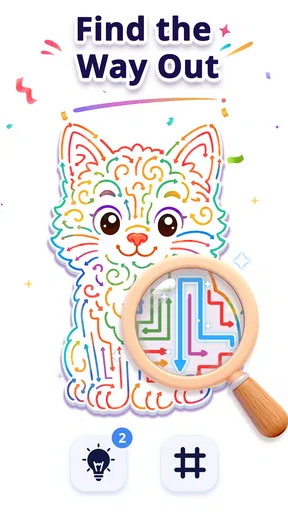
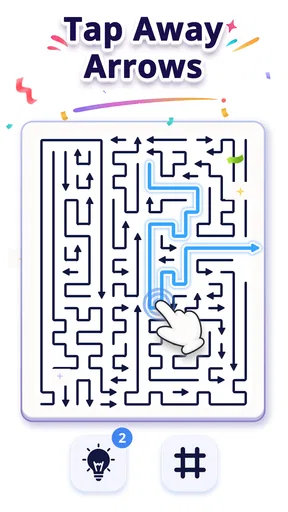
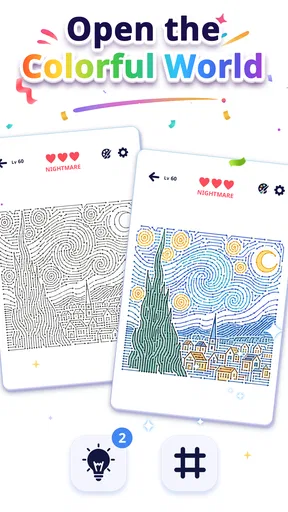
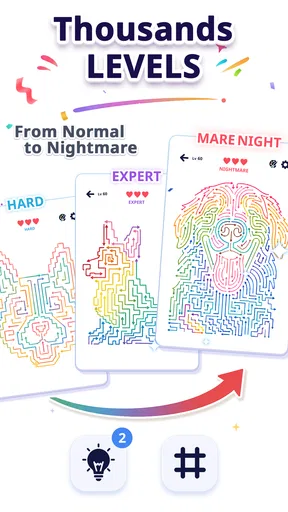

 Analysis by AppCompare
I approached Easy Go: Arrow Puzzle Games as a small, focused way to fill a spare moment rather than as a game I’d plan my evening around. Its arrow-clearing premise sounds simple, but a puzzle like this can still ask you to pause, scan the board, and think about what to tap first. That gives it a useful niche: casual play with a little more attention involved than a reflex-only time-killer.
My main reservation is that the available description gives only a broad picture of the play experience. I can assess the appeal of its central idea, but I wouldn’t promise a particular difficulty curve, a specific control scheme, or a long-term progression system without seeing those details firsthand. If you want a straightforward puzzle concept and are happy to judge the rest as you play, it may be worth trying; if you need a game with clearly explained depth before installing, you may prefer a more established puzzle format.
Quick sessions suit the arrow-puzzle idea
I’d judge this section by how naturally the game fits into a brief pause: the arrow-clearing idea is easy to grasp, while the satisfying part is taking a moment to choose an order rather than tapping at random. I’d also use a short first session to see whether that small planning step feels enjoyable to you. That helps set realistic expectations before considering how it may behave during longer or interrupted play.
A simple premise with room to think
The aim is to tap arrows and clear them away, turning the board into the problem to solve. That is an easy idea to understand, which matters when you’re opening a game between errands or during a short break. The appeal isn’t a complicated story or a large set of rules; it’s the small mental pause of deciding which arrow to remove and how to make progress without tapping blindly.
That kind of interaction is a good fit for a casual game. I’d reach for it when I have a few minutes and want something more deliberate than endlessly scrolling, but don’t want to commit to a long session. It may also suit someone who enjoys visual sorting puzzles and likes to work through a board at their own pace. The key question is whether the arrow arrangement keeps presenting interesting choices. A familiar mechanic can be satisfying, but it can also feel repetitive if each board asks for the same decision.
For newcomers, the premise should be approachable because it is built around a direct action rather than a lengthy set-up. Still, “easy to pick up” is not the same as “effortless.” A puzzle can be simple in its rules and still require careful observation. I’d recommend taking a moment to inspect the whole layout before tapping; with any board-clearing challenge, acting on the first obvious move can make the remaining choices harder to read.
How quickly it may feel rewarding
The title is positioned as an easy-going puzzle, so I would expect its strongest use to be short bursts rather than marathon play. That does not mean it has to be shallow. A compact board can produce a satisfying little chain of decisions, especially when the player notices a route through the arrows that was not obvious at first. The pleasure is in recognizing the order, not in racing a clock.
Worth Reading Before You Choose

Baby Panda World Brings Quick Play to Modern Phones, but Its Game Library Feels Busy

ESPN’s Live Game View Makes Following Close Games Easier

QuizzLand Review: A Good Fit for Short Trivia Breaks, Not Every Player

Basketball Stars: Multiplayer Is Fast, but Can It Recover When Matches Go Wrong?

WEBTOON Turns Phone Updates Into a Better Reading Routine

Link to Windows Runs on Shared Habits, Not Social Feeds
There is a practical trade-off here: a quick-to-understand game often works well for casual players, but may offer less novelty than a puzzle with several distinct mechanics. If you usually lose interest once you’ve learned a game’s main pattern, keep that in mind. I’d treat this as a low-pressure option to sample, rather than assume it will become a deep daily challenge.
On Android, it is listed as a free casual game from Wood Puzzle Sudoku Games, with a 5.0 average from 296 ratings and 10K+ installs. Those figures indicate that people have tried and rated it, but they are not a guarantee that its pacing or puzzle style will suit you. It is rated Everyone, which makes its general audience broad; the more important fit is whether you enjoy slow, visual problem-solving.
What to expect from use and performance
I’d separate the appeal of the puzzle from claims about technical performance: a simple board may suit quick visits, but that alone does not establish speed, stability, or how well progress resumes. I’d try a few moves on the device I plan to use, then briefly leave and return to see whether the experience suits my routine. The same practical check can help decide whether its modest, focused format is preferable to a more involved puzzle.
Busy moments and repeat play
For a realistic everyday use case, imagine waiting for a coffee or sitting on a bus with a few minutes free. A board-based puzzle can be easier to fit into that gap than a game that depends on a long run or a continuous sequence of actions. I’d use it in a moment when I can focus briefly, rather than while crossing a street, rushing to catch a train, or trying to listen closely to someone. Even a simple tap puzzle deserves enough attention to see the layout clearly.
If you play several rounds in one sitting, the main test is likely to be whether the repeated act of scanning and clearing arrows stays engaging. That is a more useful question than expecting a particular battery or memory profile: no reliable resource measurements are available here, and I wouldn’t claim that the game is unusually light or demanding. In general, a puzzle with short, discrete decisions is naturally suited to stop-and-start use, but the actual feel depends on the boards and presentation.
One helpful habit is to make a quick visual pass before each move: identify which arrows seem immediately clearable, then check whether removing one changes what you can reach next. This avoids turning the game into random tapping and can make a modest puzzle feel more thoughtful. If you get stuck, pausing to re-read the board is usually better than repeating the same choice in frustration. Those are general solving tactics, not a claim about a special hint or undo function.
Reliability and what I would check first
I would not describe stability as a proven strength or weakness based only on the confirmed details. Before settling into a longer session, I’d open the game, complete a few puzzles, and see whether taps register consistently and whether returning after a brief interruption feels smooth on my device. That simple first check is useful for any new mobile game, particularly when you expect to play in small pockets of time.
For recovery, I’d also avoid assuming that progress is saved in a particular way. If you are midway through a board and need to close the app, check what happens before relying on it to preserve that exact state. This matters most for people who play during commutes or between tasks, when interruptions are common. If preserving a long, uninterrupted run is essential to your enjoyment, a game designed around clearly stated save points may be a safer choice.
The current version is 0.0.6. I’d regard that version number as a reason to try the game with sensible expectations, not as evidence of a defect or a promise of frequent changes. For a new install, keeping the app updated through the platform you use is a straightforward way to get the version offered there. The game is free, so you can judge the actual feel before deciding whether it deserves a place in your regular rotation.
Device fit and alternatives
The minimum operating system listed is Android 7.0. That gives Android users a concrete compatibility check: confirm that your device meets that requirement before installing. Compatibility alone does not tell you how smoothly it will run on every model, though. Older hardware, background apps, and available storage can all affect the experience of mobile games generally, so I’d test it on the device you intend to use rather than infer performance from the minimum version.
If you want a puzzle that works as a brief visual exercise, this arrow-clearing format may be more appealing than Sudoku, word searches, or match-style games. It asks you to examine a layout and choose an order of actions instead of filling a grid with numbers, finding words, or matching pieces. On the other hand, if you like Sudoku’s explicit rules and steadily structured deductions, a familiar Sudoku app may give you a more predictable challenge. If you want quick sensory feedback and almost no planning, a simple arcade game may be a better fit.
That comparison is also a way to decide whether to keep playing. Try a few boards and notice what you enjoy: spotting the next available arrow, planning the order, or simply clearing pieces from the screen. If none of those moments feels satisfying, the basic premise may not be enough to hold your attention. There is no need to force it just because the game is casual or easy to start.
Who I’d recommend it to
I’d suggest giving it a try if you enjoy compact logic challenges, want something that can fit into a short break, and don’t mind learning the feel of a game by playing. It could be a particularly reasonable choice for someone who wants a free, Everyone-rated title with an uncluttered central idea. The developer is Wood Puzzle Sudoku Games, and the name signals a puzzle-focused maker, although I would judge this particular game by its own boards rather than assume it behaves like another title from the same developer.
I’d skip it if you need a richly explained ruleset, a confirmed record of reliable progress recovery, or a puzzle game with clearly established long-term variety. I’d also look elsewhere if you prefer narrative goals, competition, or a fast action loop; clearing arrows is aimed at a different mood. That distinction is important: a modest puzzle can be a pleasant companion for idle moments without being the right choice for every kind of player.
For a more deliberate test than a quick first impression, I’d play one board when I’m fresh and another after a minor interruption, such as setting the phone down to answer a message. The first tells me whether the core decisions are appealing; the second gives a practical sense of whether the game is comfortable to resume. I would not treat that as a formal performance test, but it is a useful way to find out whether this format fits the scattered attention of real breaks.
One small strategy is to separate “what can I tap now?” from “what will this expose next?” That distinction helps reveal whether a board rewards planning or mostly rewards clearing whatever is available. It also gives you a fairer basis for judging variety: if the enjoyable part is anticipating how the layout changes, a series of boards may hold your attention longer than if the only payoff is watching arrows disappear. If you prefer to play intuitively, that is fine too, but noticing which part feels satisfying can tell you early whether to keep going.
For families or shared devices, the Everyone rating makes the game broadly approachable in terms of its intended audience, but I’d still let each player try the puzzle style rather than assume it will appeal to every age. A child who likes visual challenges may enjoy deciding which arrow to clear, while someone who prefers stories, characters, or immediate action may not. The same applies to adults: the rating is a useful starting point, not a promise that the pace or thinking style suits everyone.
Small practical trade-offs before you settle in
Because the premise is visual, screen comfort matters more than it would in a word-based game. I’d play in a setting where I can see the board without glare and tap accurately, especially if the arrangement becomes harder to scan. That is not a special requirement unique to this title; it follows from making decisions by looking at arrows on a compact display. If you often play outdoors in bright light or one-handed while moving, the experience may be less comfortable than it is at a desk or while seated.
Another useful decision is whether you want a game that asks for continuous attention or one that can tolerate pauses. The arrow puzzle sounds naturally suited to brief sessions because its central task is a sequence of discrete choices, but I would still test how it feels when interrupted rather than assume the current board will remain available. If you need to be able to leave and return without thinking about where you were, a puzzle with an explicit, dependable resume flow is the safer option. If you are happy to start fresh or play only when you have a quiet moment, that concern matters less.
It is also worth setting expectations around challenge. A short, direct premise can be a strength when you want to understand the task quickly, but it may not satisfy players who measure a puzzle game by a large ruleset, deep strategy, or a long campaign. I would approach this as a compact diversion and let the actual board designs decide whether it earns more time. That is a better standard than expecting every casual game to become a lasting hobby.
Overall, Easy Go: Arrow Puzzle Games has a clear casual-puzzle appeal: it invites you to look at a board, think about the order, and make deliberate taps. I like that this premise can fit into a small break without asking for a major time commitment. My recommendation is a measured one: try it if arrow-based visual reasoning sounds enjoyable, check how it behaves on your device, and let a few actual puzzles—not the rating alone—tell you whether its rhythm is right for you.
Pros
- Simple swipe controls are easy to learn.
- Short levels make it suitable for quick breaks.
- Arrow paths offer a clear visual goal.
- Gradually trickier puzzles provide a steady challenge.
- Works well for fans of casual logic games.
Cons
- Some levels may feel repetitive over time.
- Later puzzles can require trial and error.
- Ads may interrupt play
- depending on the version.
- The minimalist presentation may lack variety.
- Not ideal for players seeking a story or action.
FAQs for Easy Go: Arrow Puzzle Games
What is Easy Go: Arrow Puzzle Games?
Easy Go: Arrow Puzzle Games is a casual puzzle game built around arranging or removing arrows so they can move without getting blocked. Its straightforward rules make it approachable for quick play, while increasingly complicated layouts can require more careful planning. The central challenge is to study the board, work out which arrows can move first, and avoid choices that leave the remaining pieces trapped.
How do you play Easy Go: Arrow Puzzle Games?
The basic goal is to clear the puzzle by moving the arrows in the directions they point, usually choosing an arrow whose path is not obstructed by another piece or the edge of the board. Look over the whole layout before tapping, since the order of moves matters. Later puzzles may take more than one attempt as you learn which sequence lets every arrow leave successfully.
Is Easy Go: Arrow Puzzle Games free to download and play?
The game may be available to download without an upfront purchase, but free-to-play apps can include advertising, optional purchases, or both. The exact pricing and available purchase options can vary by platform, region, and version. Check the current listing in Google Play or the Apple App Store before installing, and review the purchase settings if children will be using the device.
Does Easy Go: Arrow Puzzle Games require an internet connection?
Whether the game works fully offline can depend on its current version and how it handles ads, rewards, and other online features. Basic puzzle play may be available without a connection, but advertisements or online content generally require internet access. If offline play matters to you, try launching the game with your device disconnected and check its store listing for the developer’s latest requirements.
Is Easy Go: Arrow Puzzle Games suitable for children, and what should I check before downloading?
The arrow-based puzzles use simple visual rules and do not appear to depend on advanced gaming skills, which may make the game accessible to a wide range of players. However, suitability depends on the age rating, advertising, and any in-app purchase options shown for your region. Before downloading, review the store’s age guidance, privacy information, and recent user feedback.


